what the meaning of local storage?
- allow to save key/value pairs in a web browser. localStorage is similar to sessionStorage, except that while localStorage data has no expiration time, sessionStorage data gets cleared when the page session ends — that is, when the page is closed. (localStorage data for a document loaded in a “private browsing” or “incognito” session is cleared when the last “private” tab is closed.)
how does local storage awork?
-
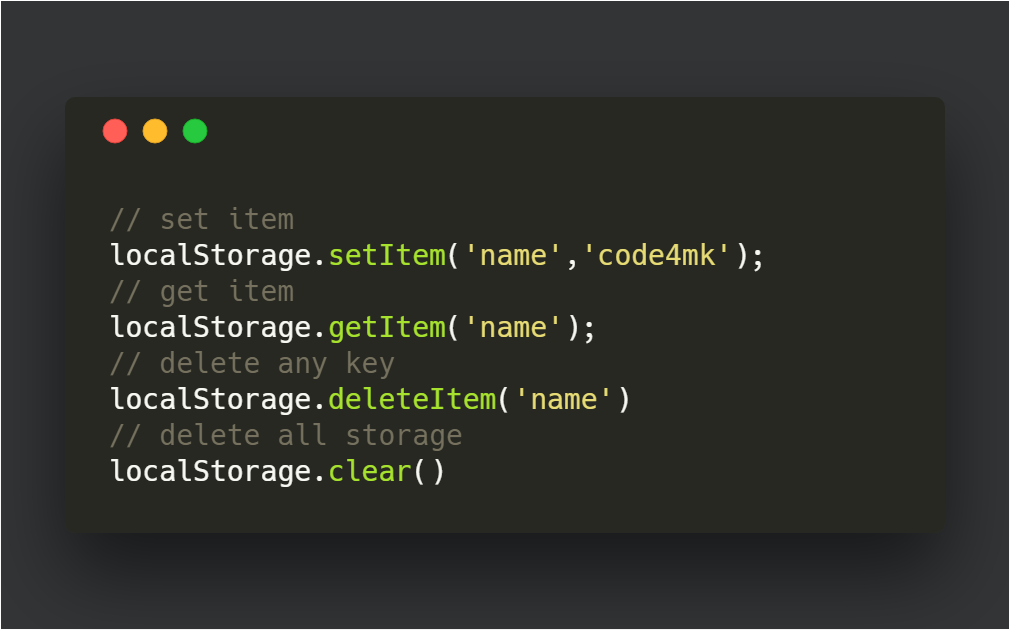
To use localStorage in your web applications, there are five methods to choose from:
- setItem(): Add key and value to localStorage
- getItem(): This is how you get items from localStorage
- removeItem(): Remove an item by key from localStorage
- clear(): Clear all localStorage
localStorage limitations?
- Do not store sensitive user information in localStorage
- It is not a substitute for a server based database as information is only stored on the browser
- localStorage is limited to 5MB across all major browsers
- localStorage is quite insecure as it has no form of data protection and can be accessed by any code on your web page
- localStorage is synchronous, meaning each operation called would only execute one after the other
Where is localStorage stored?
In Google Chrome, web storage data is saved in an SQLite file in a subfolder in the user’s profile. The subfolder is located at \AppData\Local\Google\Chrome\User Data\Default\Local Storage on Windows machines and ~/Library/Application Support/Google/Chrome/Default/Local Storage on macOS.
setItem(): How to store values in localStorage?
Just as the name implies, this method allows you to store values in the localStorage object.
It takes two parameters: a key and a value. The key can be referenced later to fetch the value attached to it.
- window.localStorage.setItem(‘name’, ‘saja’);
getItem(): How to get items from localStorage?
To get items from localStorage, use the getItem() method. getItem() allows you to access the data stored in the browser’s localStorage object.
getItem() accepts only one parameter, which is the key, and returns the value as a string.
- window.localStorage.getItem(‘user’)
removeItem(): How to delete localStorage ?
To delete local storage , use the removeItem() method.
When passed a key name, the removeItem() method removes that key from the storage if it exists. If there is no item associated with the given key, this method will do nothing.
window.localStorage.removeItem(‘name’)
clear(): How to delete all items in localStorage?
Use the clear() method to delete all items in localStorage.
This method, when invoked, clears the entire storage of all records for that domain. It does not receive any parameters.
window.localStorage.clear()
 ]
]